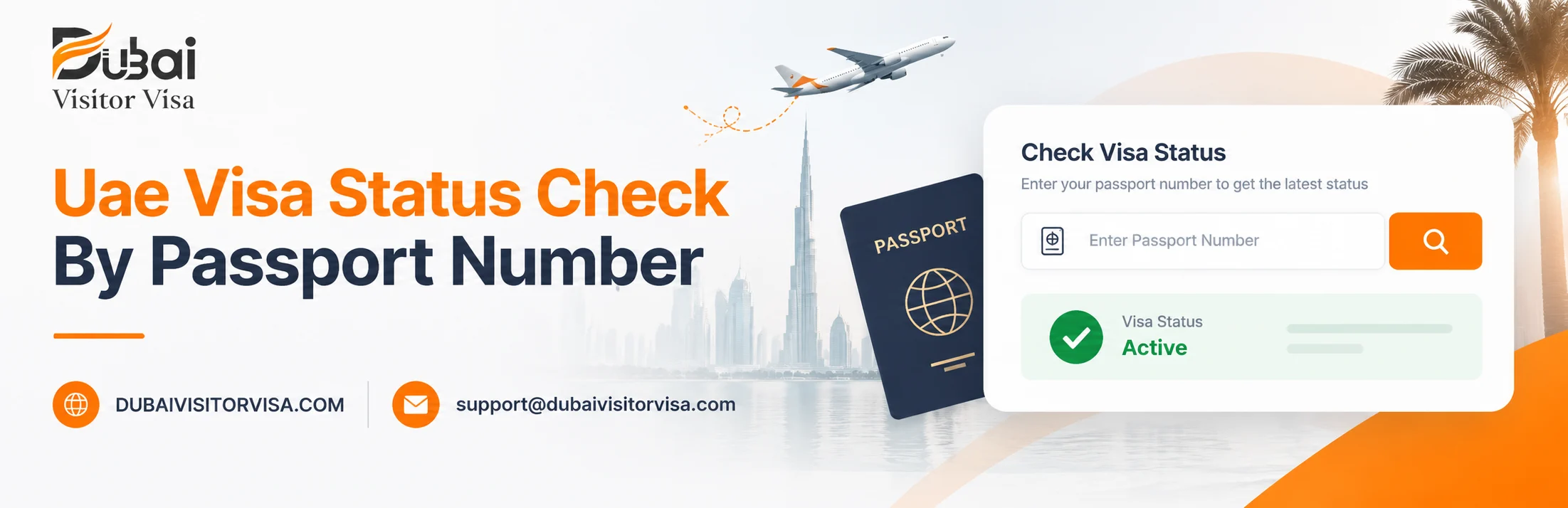
UAE Visa Status Check & Dubai Visitor Visa Status by Passport Number – 2026
18-Jun-2026 0 Comments 0 Views
Priyanshu Raghav
Travelling to Dubai without checking your UAE visa status or Dubai visitor visa status can create avoidable issues at airline check-in, arrival, or during exit. Before travelling, it is important to confirm whether your visa is issued, valid, expired, cancelled, or still under process.
This guide explains how to check Dubai visitor visa status by passport number, which portal may apply based on the issuing emirate, what common status results mean, how to check possible overstay fines, and what steps to take after each result.
UAE Visa Status Check Online by Passport Number
A UAE visa status check online by passport number is usually done through the relevant UAE immigration portal based on where the visa was issued. Dubai-issued visas are generally checked through GDRFA Dubai, while visas issued through other emirates are usually checked through ICP Smart Services.
To complete a basic UAE visa check online by passport number, you may need details such as passport number, passport expiry date, nationality, visa file number, application number, or other information requested by the portal. Required fields can vary depending on the portal and visa record.
If you see a “Not Found” or similar result, it does not always mean the visa is invalid. It may happen because the wrong portal was used, details were entered incorrectly, the visa was issued by another emirate, or the system has not updated yet.
Which Portal to Use for Your UAE Visa Status Check
| Portal / Method | Usually Covers | Best For | Website / App |
|---|---|---|---|
| GDRFA Dubai | Dubai-issued visas | Dubai visitor visa, Dubai tourist visa, and Dubai transit visa status checks | gdrfad.gov.ae |
| ICP Smart Services | Visas issued through Abu Dhabi, Sharjah, Ajman, Ras Al Khaimah, Umm Al Quwain, and Fujairah | UAE visit visa status checks for non-Dubai issued visas | smartservices.icp.gov.ae |
| GDRFA Mobile App | Dubai-issued visa records | Mobile-based Dubai visa status and related service checks | GDRFA Dubai app |
| UAE Pass | Selected UAE government services | Residents or users who need access to linked UAE government services | UAE Pass app |
| MOI / Police Services | Selected legal, police, or travel-related checks | Separate checks such as travel ban or police-related services, where applicable | moi.gov.ae |
Portal Note: Always use the portal that matches the visa issuing authority. A Dubai-issued visa is usually checked through GDRFA Dubai, while visas issued through other emirates are usually checked through ICP Smart Services. Portal fields, result names, and update times may vary.
Table of Contents
- UAE Visa Status Check Online by Passport Number
- What Is a Dubai Visitor Visa Status Check?
- Why Checking Your Visitor Visa Status Is Important Before Travel
- Information You Need Before Checking Your Visa Status
- Method 1: How to Check Dubai Visitor Visa Status
- Method 2: How to Check Visitor Visa Status Using GDRFA Portal
- Method 3: UAE Visa Check Online by Passport Number Using ICP Portal
- Method 4: How to Check Using the GDRFA Mobile App
- What Each Visitor Visa Status Result Means
- Dubai Visitor Visa Validity Check
- Dubai Visitor Visa Fine Check Online
- Common Errors When Checking Visitor Visa Status
- Dubai Visitor Visa Status Check Pre-Travel Checklist
- Conclusion
What Is a Dubai Visitor Visa Status Check?
A Dubai visitor visa status check is a real-time query run against UAE immigration records using your passport number. It tells you instantly whether your visitor visa is:
- Active and approved
- Still under processing
- Expired
- Cancelled
The check is performed on two official UAE government portals — GDRFA Dubai (gdrfad.gov.ae) and ICP UAE (icp.gov.ae). Both are completely free. No account, no login, no payment required.
Why Checking Your Visitor Visa Status Is Important Before Travel
Checking your Dubai visitor visa status before travel helps you confirm whether your visa is issued, valid, expired, cancelled, or still under process. This simple step can help reduce avoidable airline check-in issues, arrival confusion, and overstay-related complications.
Here are common issues that may happen when travellers skip the visitor visa status check Dubai step:
| What Can Go Wrong | Possible Consequence | What to Check |
|---|---|---|
| Expired visitor visa | Airline check-in issue, entry refusal, or need for a fresh visa application | Check visa expiry date and permitted entry window before travel |
| Cancelled visa | Visa may not be accepted for travel or entry | Confirm whether the visa is still active before booking or departure |
| Overstay after visa expiry | Daily fines, exit charges, immigration delays, or future visa complications may apply | Check last permitted stay date and fine status before departure or extension |
| Passport number mismatch | Additional verification may be required by airline or immigration | Match passport number, name, nationality, and date of birth with the visa copy |
| Wrong entry type | Single-entry visa may not work for repeat travel after it has already been used | Check whether your visa is single entry or multiple entry before planning re-entry |
| Entry validity expired | The visa may no longer be usable for first entry into the UAE | Check the visa issue date, entry validity, and last entry date shown on the visa |
Status Check Note: A Dubai visa status check helps identify possible issues before travel, but final boarding and entry decisions may still depend on airline checks, UAE immigration review, passport validity, and current rules.
Information You Need Before Checking Your Visa Status
Before opening the visa status portal, keep your passport and visa details ready. Enter the information exactly as shown on your travel document or visa application record.
- Passport Number: Enter it exactly as printed on your passport, without adding extra spaces or symbols.
- Passport Expiry Date: Use the date format requested by the portal, usually day, month, and year.
- Nationality: Select the country that issued your passport.
- Visa Type: Select the correct category, such as visitor visa, tourist visa, or transit visa, depending on your visa record.
- Application or File Number: Some portals may ask for an application number, file number, or visa reference number in addition to passport details.
Passport Renewal Note: If you recently renewed your passport, your visa may still be linked to the passport number used during the original application. If the new passport number shows no result, try checking with the old passport details or contact your visa sponsor, airline, or the relevant UAE immigration authority for confirmation.
Method 1: How to Check Dubai Visitor Visa Status
If you applied through Dubai Visitor Visa, you can use the online status page to check your Dubai visitor visa status using your application details. The result may show whether your application is under review, submitted, approved, rejected, or delivered by email, depending on the latest update available in the system.
Step-by-Step Process
- Open the Dubai Visitor Visa Status Page: Visit the Dubai Visitor Visa Status Check page.
- Enter Your Application Details: Fill in the required information, such as application ID, passport number, registered email, or other details shown on the status form.
- Submit Your Status Request: Click the status check or submit button to view the latest available application update.
- Review Your Visa Status: Your result may show whether the application is under process, submitted for review, approved, rejected, or sent by email.
- Contact Support If Needed: If the status is not showing, your application ID is incorrect, or your visa copy has not been received, contact support for assistance.
Status Note: The website status page is useful for applications submitted through Dubai Visitor Visa. For official immigration records, you may also need to verify the visa through the relevant UAE government portal based on the issuing authority.
Method 2: How to Check Visitor Visa Status Using GDRFA Portal
The GDRFA Dubai portal is commonly used for checking Dubai-issued visa records. If your visitor visa was issued through a Dubai-based sponsor, airline, or application channel, GDRFA may be the correct portal for your Dubai visitor visa check online by passport number.
Step-by-Step Process
- Open the GDRFA Dubai Portal: Visit gdrfad.gov.ae from your browser.
- Find the Visa Status or Enquiry Service: Look for a visa enquiry, visa status, file validity, or public services option related to entry permit or visitor visa records.
- Select the Correct Visa Category: Choose the visitor visa, tourist visa, or entry permit option if available. Selecting the wrong category may show no result even if the visa record exists.
- Enter Required Details: Fill in the fields requested by the portal, such as passport number, passport expiry date, nationality, visa file number, application number, or other required details.
- Complete Verification: Complete CAPTCHA or any security verification shown on the page.
- Submit the Request: Click the search, submit, or enquiry button to check the latest available visa record.
- Review the Result: The result may show details such as visa status, issue date, expiry date, entry type, validity, or other information depending on the portal and visa record.
GDRFA Status Note: If the GDRFA portal does not show your visa, check that your details are entered correctly and confirm whether your visa was issued through Dubai or another emirate. Non-Dubai issued visas may need to be checked through ICP Smart Services.
Method 3: UAE Visa Check Online by Passport Number Using ICP Portal
The ICP Smart Services portal is commonly used for checking UAE visa records issued through emirates other than Dubai, such as Abu Dhabi, Sharjah, Ajman, Umm Al Quwain, Ras Al Khaimah, or Fujairah. If your visa does not appear on the GDRFA Dubai portal, ICP may be the next portal to check, depending on the visa issuing authority.
Step-by-Step Process
- Open ICP Smart Services: Visit smartservices.icp.gov.ae from your browser.
- Find the Public Services Section: Look for visa status enquiry, file validity, or passport information search options.
- Choose the Search Method: Select passport information, file number, application number, or another available option based on the details you have.
- Select the Visa Category: Choose visitor visa, tourist visa, entry permit, or the closest available category that matches your visa record.
- Enter Required Details: Fill in the requested information, such as passport number, passport expiry date, nationality, file number, or application reference.
- Submit the Search: Complete CAPTCHA or security verification if shown, then submit the request.
- Review the Result: The result may show visa validity, status, expiry date, entry type, stay duration, or other available details depending on the visa record and portal response.
ICP Portal Note: Use GDRFA Dubai for Dubai-issued visas and ICP Smart Services for many non-Dubai UAE visa records. If no result appears on either portal, recheck the entered details, confirm the issuing authority, and contact your visa provider or sponsor for clarification.
Method 4: How to Check Using the GDRFA Mobile App
The GDRFA Dubai app can also be used to check selected Dubai-issued visa records from your phone. It may be useful when you want a mobile-friendly way to review your Dubai visitor visa status before travel.
Step-by-Step Process
- Download the App: Search for the official GDRFA Dubai app on the App Store or Google Play Store.
- Open Visa Services: Look for visa services, file enquiry, entry permit, or visa status options inside the app.
- Enter Required Details: Fill in the requested information, such as passport number, passport expiry date, nationality, file number, or application reference.
- Submit the Enquiry: Complete any verification step and submit the request.
- Review the Result: The app may show visa status, validity, expiry date, or other available details depending on your visa record and the service selected.
Mobile App Note: App options, service names, login requirements, and result fields may change over time. If the app does not show your visa record, check the GDRFA website or contact your visa provider, sponsor, airline, or the relevant UAE immigration authority.
Alternative Contact Options
If online portals or apps are not working, you may try official customer support channels for guidance:
- GDRFA Dubai customer support through the official GDRFA website
- ICP Smart Services support through the official ICP website
- Your visa provider, travel agent, sponsor, or airline support desk
What Each Visitor Visa Status Result Means and What to Do Next
Visa status wording can vary by portal, visa type, and issuing authority. The meanings below explain the most common results travellers may see during a Dubai visitor visa status check.
Status: Active / Valid
Meaning: Your visa record appears active or valid in the system.
- Confirm the entry validity date has not passed
- Check whether the visa is single entry or multiple entry
- Confirm your planned stay is within the permitted duration
- Keep a digital and printed copy of your visa and status result for travel backup
Status: Under Processing / Under Review
Meaning: Your visa application may still be under document review, sponsor review, or immigration processing.
- Recheck later, as portal updates may take time
- Contact your visa provider if the status remains unchanged beyond the expected processing window
- Avoid making non-refundable travel bookings until your visa status is confirmed
Status: Expired
Meaning: The visa validity period or permitted stay period may have ended.
- If you are outside the UAE, check whether a fresh visa application is required before travelling
- If you are inside the UAE, check extension, status-change, or exit options immediately
- Confirm whether any overstay fine, exit charge, or immigration issue applies before departure
Status: Cancelled
Meaning: The visa may have been cancelled by the sponsor, provider, applicant request, or relevant authority.
- Contact your visa provider or sponsor for the cancellation reason
- Do not travel on a cancelled visa record
- Check whether a fresh application is suitable based on your travel plan
Status: Not Found
Meaning: The portal did not find a matching visa record using the details entered.
- Recheck passport number, nationality, and expiry date for typing mistakes
- Try the portal that matches the issuing authority, such as GDRFA for Dubai-issued visas or ICP for many non-Dubai visas
- If the visa was applied using an old passport, try checking with the old passport details
- Allow time for system updates if the visa was recently approved or submitted
- Contact your visa provider, sponsor, or airline if the result still does not appear
Status Result Note: Portal results may vary depending on issuing authority, visa type, system update time, and details entered. Final travel and entry decisions may still depend on airline checks, passport validity, visa conditions, and UAE immigration review.
Dubai Visitor Visa Validity Check: 3 Dates You Must Understand
A Dubai visitor visa validity check may show different dates related to visa issue, entry validity, and permitted stay. Understanding these dates can help you avoid travel confusion, missed entry windows, or overstay-related fines.
| Date Type | What It Means | Why It Matters |
|---|---|---|
| Issue Date | The date when the visa or entry permit was issued or approved | This may be used to calculate the visa entry validity window, depending on the visa type |
| Entry Validity Date | The last date by which you may be allowed to use the visa for first entry | If this date passes before you travel, the visa may no longer be usable for entry |
| Stay Duration | The number of days you are allowed to stay after entering the UAE | Staying beyond the permitted duration may lead to overstay fines or exit-related issues |
Example: How Entry Validity and Stay Duration Can Differ
- Visa issued on a specific date
- Visa shows a separate last entry date or entry validity period
- Stay duration starts from the actual date of entry, based on the issued visa conditions
- Your last permitted stay date should be calculated from your arrival date, not only from the visa issue date
Validity Note: Do not confuse the visa entry validity date with your permitted stay duration. The entry validity date usually controls when you can enter, while the stay duration controls how long you can remain after entry. Always confirm the exact dates from your issued visa copy or the relevant UAE visa status portal.
Dubai Visitor Visa Fine Check Online
If your visitor visa has expired or you are unsure about your permitted stay, you should check whether any overstay fine, exit charge, or immigration-related fee applies before travelling, extending, or applying again.
How to Check Visitor Visa Overstay Fine Online
Fine checking options can vary depending on visa type, issuing authority, passport details, and current UAE immigration services. Common ways to check may include:
- GDRFA Dubai Portal: For Dubai-issued visas, visit gdrfad.gov.ae and look for fine enquiry, violation check, or related public services.
- ICP Smart Services: For visas issued through other emirates, check the relevant ICP service if your visa record is linked to ICP.
- Amer Centre: If your visa was issued through Dubai, an Amer Centre may help check fine status, exit-related charges, and available service options.
- Visa Provider or Sponsor: Your visa provider, travel agent, or sponsor may also help confirm whether your visa record shows any fine, extension issue, or cancellation requirement.
Dubai Visitor Visa Overstay Fine Estimate
UAE overstay fines are commonly listed at AED 50 per day, but final payable charges may vary depending on visa type, expiry date, grace period status, exit process, immigration record, and current UAE rules. Additional service, exit, or administrative charges may also apply in some cases.
| Situation | Possible Charge | What to Do |
|---|---|---|
| Visa recently expired | Daily overstay fine may apply if no grace period is available | Check fine status through the relevant portal, Amer Centre, or sponsor |
| Several days overstayed | Daily fines may continue to increase until exit, extension, or status correction | Act quickly to check extension, status-change, or departure options |
| Exit after overstay | Exit-related charges or clearance steps may apply depending on the case | Confirm the payable amount before going to the airport |
| New visa after overstay | Previous fine or immigration issue may need to be cleared first | Ask your visa provider or sponsor to check your record before reapplying |
Fine Check Note: Do not rely only on rough fine calculations. Always confirm the final payable amount through GDRFA, ICP, Amer Centre, your sponsor, or the relevant UAE immigration channel before exit, extension, cancellation, or re-application.
Visitor Visa Status Check for All Dubai Visa Types
A Dubai visitor visa status check can help confirm whether your visa is active, expired, cancelled, under process, or still valid for entry. The exact status details may vary by visa type, issuing authority, and portal result.
14-Day Dubai Visitor Visa
Usually used for short visits. Check the issued visa copy or status portal to confirm entry validity, stay duration, and whether the visa is still active before travelling.
30-Day Dubai Visitor Visa
Commonly used for tourism, family visits, and short stays. Your status result may help confirm whether the visa is single entry, multiple entry, active, or expired.
60-Day Dubai Visitor Visa
Usually suitable for longer visits. Check status and validity before expiry if you are planning an extension, status change, or exit from the UAE.
Long-Stay or Special Visitor Visa
Some long-stay or special visitor visa categories may have different validity, entry, and extension rules. Always confirm from the issued visa copy and relevant portal.
48-Hour and 96-Hour Transit Visa
Transit visas usually have short validity and stay windows. Check the visa record carefully before travelling or leaving the airport during a stopover.
Multiple Entry Visitor Visa
Multiple entry visas may allow repeated entry within the permitted validity period. Check status before each trip to confirm the visa is still usable.
Visa Type Note: Visa validity, entry rules, stay duration, and extension options can vary by visa type, sponsor, issuing authority, and current UAE immigration rules. Always confirm the latest status from the issued visa copy or official portal before travelling.
Common Errors When Checking Visitor Visa Status by Passport Number
If your visa status search shows “Not Found” or no result, it does not always mean your visa is invalid. The issue may be caused by incorrect details, wrong portal selection, system update delay, or passport mismatch.
| Common Error | How to Fix It |
|---|---|
| Wrong passport number | Re-enter the passport number carefully and check similar characters such as O and 0, I and 1, or B and 8. |
| Incorrect passport expiry date | Use the date format requested by the portal and make sure the expiry date matches the passport used for the visa application. |
| Wrong visa category selected | Select the category that matches your visa record, such as visitor visa, tourist visa, transit visa, or entry permit. |
| Checking too soon after submission or approval | Portal records may take time to update. Recheck later or contact your visa provider if the status does not appear. |
| Using new passport after renewal | If the visa was applied using an old passport, try checking with the old passport number or contact your sponsor for confirmation. |
| Wrong portal for issuing emirate | Dubai-issued visas are usually checked through GDRFA Dubai, while many non-Dubai UAE visa records are checked through ICP Smart Services. |
| Visa cancelled or not yet active | Contact your visa provider or sponsor to confirm whether the visa is active, cancelled, still under process, or not yet updated in the portal. |
| Using the wrong search method | If passport search does not work, try file number, application number, visa reference number, or another search option available on the portal. |
Search Error Note: Always match the portal, passport details, visa category, and issuing authority before assuming your visa record is missing. If the result still does not appear, confirm with your visa provider, sponsor, airline, or the relevant UAE immigration authority.
How Soon Does Visitor Visa Status Update After Approval?
Dubai visitor visa status updates may not appear immediately after approval, submission, cancellation, expiry, or extension. Portal update time can vary depending on the issuing authority, visa type, application channel, system update cycle, and details entered during the status check.
| Event | Possible Portal Update Timing | What to Do |
|---|---|---|
| Visa approved by UAE immigration | Status may update after the approval record is synced with the relevant portal | Recheck later and compare the portal result with your issued visa copy |
| Visa copy received from provider | The visa copy may be received before the portal fully reflects the latest status | Verify details such as passport number, visa number, entry validity, and expiry date |
| Visa cancelled | Cancellation updates may take time to reflect in online records | Do not travel until cancellation or active status is clearly confirmed |
| Visa expired | Expiry status may appear after the permitted validity or stay period ends | Check extension, exit, or fine status if you are still inside the UAE |
| Extension approved | New validity or expiry details may update after the extension record is processed | Confirm the new dates from the issued extension document or relevant portal |
Update Time Note: If your visa copy, portal result, or application status does not match, wait for the system to update and then recheck using the correct passport details and issuing authority portal. If the issue continues, contact your visa provider, sponsor, airline, or the relevant UAE immigration authority for confirmation.
Dubai Visitor Visa Status Check on Mobile Devices
You can usually check your Dubai visitor visa status from a mobile browser or official mobile app, depending on the visa issuing authority and the service available at the time of checking.
- GDRFA Website: Use the mobile browser version of the GDRFA Dubai website for Dubai-issued visa records.
- GDRFA Dubai App: The official GDRFA Dubai app may provide mobile access to selected visa enquiry and file status services.
- ICP Smart Services: Use the ICP Smart Services website for many UAE visa records issued through emirates other than Dubai.
- Mobile Tip: Keep your passport number, passport expiry date, nationality, file number, and application reference ready before starting the status check.
Mobile Check Note: Mobile portal layout, app service names, login requirements, and result fields may change over time. If one method does not show your record, try the relevant official website, app, or contact your visa provider for clarification.
Dubai Visitor Visa Status Check Pre-Travel Checklist
Before departure, review your visa status, passport details, and travel documents carefully to avoid avoidable check-in or arrival issues.
- Visa status appears active or valid on the relevant portal, where available
- Entry validity date has not passed before your planned arrival
- Passport validity meets airline and UAE immigration requirements
- Passport number on the visa copy matches the passport you will travel with
- Return or onward ticket matches your permitted stay and travel plan
- Visa entry type is confirmed as single entry or multiple entry
- Digital and printed copies of your visa, passport, ticket, and accommodation proof are ready
- Visa provider, sponsor, or airline contact details are saved in case support is needed
Pre-Travel Note: A visa status check helps you identify possible issues before travel, but final boarding and entry decisions may still depend on airline checks, passport validity, visa conditions, and UAE immigration review.
Conclusion
A UAE visa status check by passport number is an important step before travelling to Dubai or any other UAE emirate. It helps confirm whether your visa is active, expired, cancelled, under process, or still valid for entry.
Always confirm your entry validity, stay duration, passport details, and visa type before departure. Keep a copy of your visa status result, issued visa, passport, ticket, and accommodation proof ready for airline or immigration checks.
Need Help with Dubai Visitor Visa Status?
Our team can help with Dubai visitor visa applications, status guidance, document review, inside-country extension support, and re-application assistance where applicable.
Dubai Visitor Visa is a privately managed travel and visa facilitation service. Visa approval and entry decisions depend on UAE immigration authorities, applicant profile, and current rules.
Also Read
- AE Visa Status
- Dubai Visa Check
- Visa Status by Passport Number
- UAE Visit Visa Check
- Dubai Visit Visa Status
- GDRFA Visa Check
- ICP Visa Status
- UAE Visa Validity
Frequently Ask Questions
The GDRFA and ICP portals typically update within 6 to 12 hours of visa approval. If you received an approval confirmation from your visa provider but the portal still shows "Under Processing," wait 12 hours and check again. If the status has not updated after 24 hours, contact your visa provider immediately as it may indicate a submission issue.
Yes. Checking your UAE visa status on the official GDRFA Dubai portal or the ICP Smart Services portal is completely free. No account, no login, and no payment is required. Any third-party website or agent charging a fee for this specific lookup is adding a fee to a free public government service.
No, your passport number and expiry date are essential to retrieve visa details.
Yes, but use your old passport number — the one under which the visa was originally applied. UAE immigration links your visa to the passport used at the time of application. If you enter your new passport number, the portal will return "Not Found" even if your visa is fully valid. Once you confirm the visa is active using the old passport number, contact your sponsor or visa provider to arrange a passport transfer.
The rule is simple: if your visa was issued in Dubai (sponsored by a Dubai-based company, airline, hotel, or individual), use the GDRFA Dubai portal at gdrfad.gov.ae. If your visa was issued in any other emirate — Abu Dhabi, Sharjah, Ajman, Ras Al Khaimah, Umm Al Quwain, or Fujairah — use the ICP Smart Services portal at smartservices.icp.gov.ae. If GDRFA returns no result and you are certain your visa is Dubai-issued, wait 12 hours then also try ICP.
Yes. The GDRFA and ICP portals do not require you to be the visa holder — you only need the person's passport number, passport expiry date, and nationality. Parents commonly use this to check visa status for children, and travel agents use it to verify client visas before issuing flight tickets.
Re-apply through a reliable provider like DubaiVisitorVisa.com after correcting errors or providing additional documents.
Go to the GDRFA Dubai portal (gdrfad.gov.ae) for Dubai-issued visas, or the ICP Smart Services portal (smartservices.icp.gov.ae) for visas issued in any other emirate. Select Visa Status or File Validity, choose Passport Information as the search method, enter your passport number, expiry date, and nationality, then click Search. Your UAE visa status — active, under processing, expired, or cancelled — appears within seconds. Both portals are free and require no account or login.
There are two official portals. For Dubai visit visas, use the GDRFA Dubai website at gdrfad.gov.ae. For visit visas issued in Abu Dhabi, Sharjah, Ajman, Umm Al Quwain, Ras Al Khaimah, or Fujairah, use the ICP Smart Services portal at smartservices.icp.gov.ae. Both portals are completely free and require only your passport number, expiry date, and nationality — no account needed.
The most common reasons are: using the wrong portal (Dubai visas must be checked on GDRFA, not ICP), checking too soon after approval (allow 6–12 hours for records to update), entering the passport number with a typo (check O vs 0, I vs 1), using your new passport number instead of the one used for the original application, or selecting the wrong visa category (always choose Visitor Visa, not Residence Visa). If none of these apply, contact your visa provider — it may mean the visa was not yet submitted to UAE immigration.
Yes. Both the GDRFA website (gdrfad.gov.ae) and the ICP website (smartservices.icp.gov.ae) are fully mobile-responsive and work on all smartphones. For the fastest mobile experience, download the official GDRFA Dubai app from the Google Play Store or Apple App Store — no account is needed for a basic visa status check, and results appear in under 10 seconds.
Visit gdrfad.gov.ae, select Public Services, then Visa Status. Under the search options, choose Passport Information and select Visitor Visa as the visa type. Enter your passport number and passport expiry date. You do not need a visa file number, Emirates ID, or UAE Pass account to do a Dubai visa check by passport number.
You need three things: your passport number exactly as printed (no spaces or dashes), your passport expiry date in DD/MM/YYYY format, and your nationality. For the ICP portal, you may also need your date of birth. You do not need your visa file number, application ID, Emirates ID, or any login credentials to perform a basic UAE visa status check by passport number.
Standard processing takes 3–5 working days; urgent visas may be issued within 24–48 hours.
Yes, overstaying results in daily fines and can affect future visa applications.
Yes, some visas can be extended—usually for 30 days. Always apply before your current visa expires.
An "Expired" status means your visitor visa validity period has ended. If you are outside the UAE, you cannot enter on this visa and must apply for a new one at Dubai Visitor Visa. If you are already inside the UAE, you are overstaying and accumulating daily fines of AED 50 per day plus a flat penalty of AED 500. You must either apply for an inside-country extension or exit the UAE immediately to stop the fines from growing.
Write Your Comment
Your email address will not be published. Required fields are marked *