PRESS
PRESS 

If your UAE visa came from Dubai, start with GDRFA Dubai for a UAE visa copy download. For visas from the other six emirates, start with ICP. If you only need to check whether a visa is active, use our Dubai visa status check instead.
Most UAE visas now come as online files. You may need the copy for travel, hotel check-in, work, or another official task. A passport number can help you find the record. However, some services also ask for your date of birth, file number, visa number, or case number.
UAE Visa Copy Download: Quick Answer
A UAE visa copy download gives you the issued visa, entry permit, or a visa report. GDRFA Dubai often handles Dubai files. ICP often handles Abu Dhabi, Sharjah, Ajman, Umm Al Quwain, Ras Al Khaimah, and Fujairah files. Your sponsor or visa provider may also hold the issued PDF.
The fastest order is simple. Check the approval email first. Then contact the sponsor or provider. After that, use the correct UAE service to check the record or get a formal report.
| Visa Situation. | Best Starting Point. |
|---|---|
| Dubai tourist or visit visa. | GDRFA Dubai or the first provider. |
| Dubai residence record. | GDRFA Dubai, sponsor, or employer. |
| Abu Dhabi-issued visa. | ICP. |
| Sharjah-issued visa. | ICP. |
| Ajman-issued visa. | ICP. |
| Ras Al Khaimah-issued visa. | ICP. |
| Fujairah-issued visa. | ICP. |
| Umm Al Quwain-issued visa. | ICP. |
| Airline-sponsored visa. | Airline or sponsor. |
| Travel-agency application. | Agency and the issuing office. |
| Employer-sponsored residence. | Employer, free zone, or issuing office. |
A visa status result is not always the same as the approved visa PDF.
Service note: Dubai Visitor Visa is a private visa support website. It is not ICP, GDRFA, an embassy, or a UAE government office. Government records and visa decisions stay with the relevant UAE office.
What Is a UAE Visa Copy?
A UAE visa copy is an issued visa or permit record. It may be a tourist visa, visit visa, entry permit, or residence-related record. Most copies now come as online files. They are rarely placed in the passport as a sticker.
The exact layout can change by visa type and visa office. The words “visa copy,” “entry permit,” and “visa status” are related. Still, they do not mean the same thing.
Tourist or Visit Visa Copy
A tourist or visit visa copy shows the main travel details. It can show your name, passport number, and country. It may also show the issue date, entry type, valid dates, and allowed stay. The sponsor may appear on the file too.
Some files also show a barcode or QR code. Never post a real visa copy online. It contains private data linked to one traveller.
Entry Permit Copy
An entry permit lets a traveller enter the UAE for a stated reason. It normally shows a permit number, valid dates, sponsor, and travel purpose. It may be the first step in a longer visa or residence process.
An entry permit is not always the final residence record. A residence case may need more steps after entry. These can include a status change, medical test, and Emirates ID process.
Residence Visa Record
UAE residence records are now largely online. They can link to the resident’s Emirates ID, visa file, sponsor, or employer. The file you can view may differ by office, employer, or free zone.
Because of this, not every resident receives the same PDF or report. Use the route linked to the visa office and sponsor.
Visa Status Result
A visa status result shows the current state of a record. It may say active, expired, canceled, issued, or used. A request page may also show a review state.
This does not always give you the issued visa PDF. Check what you need before you start. If you need only status, use the correct status page.
Can You Complete a UAE Visa Copy Download Online?
Yes, in many cases. The exact result depends on the service and visa type. Some services show a visa record or valid dates. Others can give a report or the issued file.
ICP says an issued visa is sent by email and can be saved online after issue. You can read this on the official ICP visa FAQ.
If an airline, employer, sponsor, hotel, or travel agency filed the visa, check with that party too. They may already have the approved PDF. There is no single public button that retrieves every UAE visa type.
Your route may be a public visa search, a signed-in account, UAE Pass, or the first visa provider. Some users may need the sponsor, employer, airline, or tourism company. Support from the office that handled the file can also help. Pick the route that matches the visa record.
Which Portal Should You Use: ICP or GDRFA?
For a UAE visa copy download, first find the office that issued the file. GDRFA Dubai often handles Dubai visa and residence records. ICP often handles files from the other six emirates.
Those six emirates are Abu Dhabi, Sharjah, Ajman, Umm Al Quwain, Ras Al Khaimah, and Fujairah. A sponsor or provider may still be part of the process. This is common with airlines, employers, hotels, free zones, and travel agencies.
| Situation. | ICP. | GDRFA Dubai. | Sponsor / Provider. |
|---|---|---|---|
| Dubai-issued tourist visa. | Usually no. | Usually relevant. | May hold the PDF. |
| Dubai residence file. | Usually no. | Relevant. | Employer or sponsor may help. |
| Abu Dhabi visa. | Relevant. | No. | May help. |
| Sharjah visa. | Relevant. | No. | May help. |
| Other federal-emirate visa. | Relevant. | No. | May help. |
| Airline visa. | Depends. | Depends. | Airline may hold the file. |
| Travel-agency visa. | Depends. | Depends. | Agency may resend it. |
| Free-zone residence. | Depends on file. | Depends on file. | Free zone or employer. |
Check the visa or approval email first. Look for the sponsor name, case number, and visa emirate. Do not choose the portal only from the airport you used. You can land in one emirate with a visa issued through another.
UAE Visa Copy Download Through ICP
ICP Smart Services and the UAEICP app cover many visa and residence services. They serve files linked to Abu Dhabi, Sharjah, Ajman, Umm Al Quwain, Ras Al Khaimah, and Fujairah.
ICP also has a public File Validity service. It can search by file data or passport data. The result may show visa dates and file status. The issued visa may also be in your email.
- Open ICP Smart Services or the UAEICP app.
- Choose the visa or file service that fits your need.
- Select passport search or file search when both appear.
- Enter the details exactly as shown on your passport.
- Complete the captcha or OTP when asked.
- View the visa record.
- Use the download, print, or report option if shown.
- If no PDF appears, contact ICP or your sponsor.
Details You May Need
The details depend on the ICP service. You may need a passport number, passport expiry date, country, or date of birth. Some services ask for a visa number, file number, UID, or case number.
Some account services use UAE Pass. The public File Validity search is different from a logged-in account. A signed-in area may show requests linked to that account. It may ask for an email, mobile number, or UAE Pass login. Always follow the fields shown on the current ICP page.
Passport Information Method
Passport details can help find an ICP record. Enter every field exactly as shown. One wrong letter or date can stop the search.
If you renewed your passport, the old passport may still link to the visa file. Try the details used when the visa was issued. If nothing appears, the file may sit with GDRFA Dubai or the sponsor.
File Number Method
A file number may appear on an old visa copy, entry permit, email, or sponsor record. An employer may also have it. A file or unified number can point to one exact record.
The number format can vary by service. Use the format shown on the government page. Do not guess a fixed digit pattern.
Saving or Printing the Result
Use the download, print, or report button when one appears. If a page only shows status, you can save that page for your records. But a saved status page is not the approved visa PDF.
ICP also offers a formal Visa Details Report. The visa must already be issued. ICP currently lists an AED 100 request fee and an AED 100 Smart Services fee for this report. UAE Pass is required. Check the live service page before you pay because fees can change.
Dubai Visa Copy Download Through GDRFA
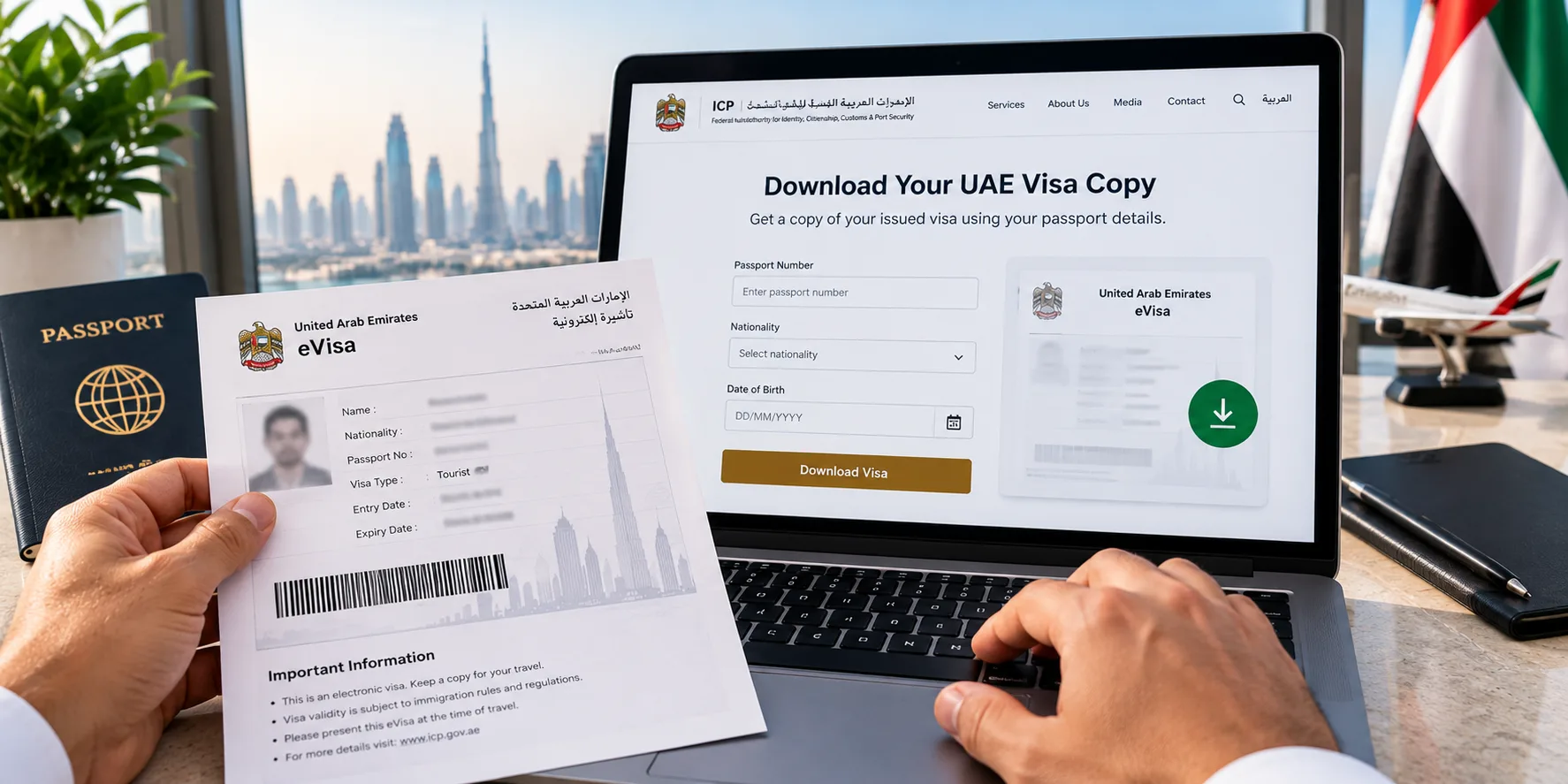
GDRFA Dubai handles Dubai-issued entry permits and visa files. It also handles many tourist, visit, and residence services. GDRFA provides an official Visa Status service for entry and residence records.
Some GDRFA services need a login. They may use UAE Pass or another account. Dubai records may also sit with the sponsor or company that filed the request. The fields can change, so follow the current service screen. If a status page does not show the PDF, ask the first provider for the issued file.
- Confirm that Dubai issued the visa.
- Open the relevant GDRFA status or file service.
- Choose the correct visa or permit search.
- Enter the requested passport or file details.
- Sign in if the service asks you to do so.
- View the record or file returned.
- Save or print it if that option is shown.
- Ask the sponsor or provider for the PDF if needed.
Not every GDRFA search returns the approved PDF. Some services show status only. The first provider may still be the fastest way to recover the file.
Dubai-Issued Tourist Visa
Dubai tourist and visit visas are often filed through an approved tourism business. GDRFA’s current tourist visa service also says only accredited tourism offices in Dubai can issue that tourist visa type.
An airline, hotel, travel agency, or visa provider may also be involved. The provider may hold the issued PDF. For a Dubai visa copy download, check your approval email and first provider first.
Entry Permit or Residence Record
An entry permit and a residence record are linked, but they are not the same file. The entry permit lets you enter for a stated reason. A residence record covers the later residence stage.
You may need a status change, medical test, or Emirates ID step. Your employer, sponsor, or free zone may control access to some records.
Application Submitted Through an Agent or Sponsor
If an agent, agency, or sponsor filed your visa, contact that same party. Give them your case number. Ask for the issued visa PDF to be resent.
Check the sender before you open or share the file. Compare the copy with your passport. Do not pay an unknown third party for a “reissued” visa. Never ask anyone to edit an issued visa.
UAE Visa Copy Download by Passport Number
A passport number can help find a visa record. But a full UAE visa copy download may need more details. The service may ask for country, date of birth, passport expiry, file number, or visa number.
A case number or account login may also be needed. So passport data is a good starting point. It is not a guaranteed shortcut by itself.
| Method. | May Show Status? | May Show a Copy? | Other Details Needed. |
|---|---|---|---|
| Passport number. | Often. | Depends on service. | Nationality and date of birth. |
| File number. | Often. | More likely on the right service. | File details. |
| Visa number. | Often. | Depends on service. | Personal details. |
| Application reference. | Tracks the request. | Depends on provider. | Email or mobile. |
| UAE Pass. | Account records. | Depends on service. | Login required. |
| Sponsor or agency. | Yes. | Often can resend. | Application record. |
UAE Visa Copy Download for Tourist and Visit Visas
First, check how the visa was filed. It may have gone through an airline, hotel, agency, sponsor, or UAE service. Then check the approval email. Look in spam, promotions, archive, and deleted folders too.
Many UAE visa copy download requests are solved this way. If the email is gone, contact the first provider. Then use ICP or GDRFA to check the live record. Choose the office that issued the visa.
Ask for the approved PDF to be resent. If you applied for a Dubai e-visa through a provider, the approved PDF is sent to the email on the application — see how the e-visa is delivered. Do not treat a status page as the same file.
Keep five points separate: approval, visa issue, entry dates, allowed stay, and PDF access. One point does not prove the next.
How to Get a Dubai Entry Permit Copy
A Dubai entry permit copy is not always the same as a tourist visa copy. It may also differ from a residence entry permit or full residence record.
You may need GDRFA or the first provider. An employer, sponsor, free zone, airline, or tourism company may also help. Some permits remain linked to an active residence process. They may not appear on a simple public download page.
What to Do If You Lost Your UAE Visa Email
A lost visa copy is often just a lost email. The visa record may still be safe. Use these steps before you assume the visa itself is missing:
- Search for “visa,” “permit,” “ICP,” and “GDRFA.”
- Search for the sponsor or provider name.
- Check spam, promotions, archive, and deleted folders.
- Search by case or ref number.
- Contact the first sender.
- Contact the sponsor or visa provider.
- Check the correct UAE portal.
- Confirm that the visa was issued.
- Ask for the approved PDF to be resent.
- Save the recovered file in a safe place.
Do not share visa emails, passport details, or visa numbers in public forums. Avoid unknown accounts while you recover the file.
What If Your UAE Visa Copy Download Is Not Showing Online?
If your UAE visa copy download is not showing online, check the simple causes first. You may be using the wrong portal. The passport details may not match the file. An old passport may still be linked to the visa.
The request may still be pending. A public page may show status but not the PDF. The sponsor may still need to finish a step. The provider may also hold the file in its own account.
| Problem. | Possible Cause. | What to Do. |
|---|---|---|
| No result. | Wrong portal. | Check ICP vs GDRFA. |
| Passport mismatch. | Old passport on file. | Try the passport used for the visa. |
| Approved but no PDF. | Provider holds the document. | Ask for a resend. |
| Record shows expired. | Visa no longer active. | Check current visa options. |
| Record shows cancelled. | Cancellation is complete. | Check status or a new request. |
| Page error. | Technical issue. | Try again or contact the office. |
| Pending status. | Request not complete. | Check application status. |
Need help with a visa request or file issue? Contact Visa Support
Visa Copy vs Visa Status vs Application Status
These results answer different questions. A visa copy is the issued file or visa report. Visa status shows the current state of the visa. Application status shows where a request is in the process.
A cancellation check is separate. A fine check is separate too. Use the page that matches your need.
| User Need. | Correct Result. | Best Page. |
|---|---|---|
| Need the approved PDF. | Visa copy. | This page. |
| Need approval or pending status. | Application status. | Status page. |
| Need active or expired status. | Visa validity. | Status by passport guide. |
| Need cancellation status. | Cancellation status. | Cancellation guide. |
| Need fine amount. | Overstay fine. | Overstay guide. |
| Need visa/file number. | Visa copy or number guide. | This page. |
Visa Number, File Number and UID Number Explained
A UAE visa number, file number, and UID are different. The UID is also called the Unified Number. Travellers often mix these terms, but each one has a different use.
| Number. | What It Identifies. | Where It May Appear. |
|---|---|---|
| Visa number. | An issued visa or permit. | Visa copy. |
| File number. | An immigration file. | Visa or residence record. |
| UID. | One ID for the person. | Visa record or official service. |
| Application number. | A submitted request. | Receipt or email. |
| Entry-permit number. | A specific entry permit. | Entry-permit copy. |
The same traveller can have several case numbers over time. A visa number often links to one issued visa. A file number points to a visa file. The UID stays linked to the person.
Do not post these numbers online. This guide covers them only where they help with a UAE visa copy download.
How to Verify Your Downloaded UAE Visa Copy
Check the file before you use it. Start with the main passport details. Then check the visa type and dates.
- Name matches the passport.
- Passport number matches.
- Country matches.
- Date of birth matches.
- Visa type matches the trip.
- Entry type is correct.
- Issue date is correct.
- Valid dates are current.
- Allowed stay is clear.
- Sponsor name is known.
- Visa or file number is readable.
- The file came from a trusted source.
- Status can be checked on the right portal.
- No text has been changed.
- Any barcode or QR code is unchanged.
A file can look real and still be old. It may also belong to an old visa record. When current status matters, check the live UAE record.
What If the Visa Copy Contains Incorrect Details?
Never edit a visa PDF yourself. Do not change a name, passport number, date, or visa type. Contact the sponsor, employer, airline, agent, or visa office that filed it.
For ICP files, the official Amendment of Visa Data service covers changes to an issued entry permit. Dubai files should follow the correct GDRFA or sponsor route.
Common errors include name spelling, passport number, country, date of birth, gender, visa type, and entry type. Report the problem as soon as you find it. Do not wait until the travel day.
Can You Download an Expired or Cancelled Visa Copy?
Some old visa records stay visible after expiry or cancellation. Other services may show only the current status. A sponsor or employer may also keep an old copy.
An expired or canceled visa is not valid for a new entry. Still, the copy can help with work history or past visa records. If you need current proof, use the UAE visa cancel status guide or another current status service.
Is a Digital Visa Copy Accepted for Travel?
UAE visas are often online. Airlines often check visa data online. Still, keep a clear phone copy on your phone. A printed copy is a useful backup.
The passport details on the visa must match your travel passport. Airline checks and UAE border checks are separate. The airline decides whether you can board. UAE immigration makes the final entry decision.
A full PDF is better than a cropped screenshot. Keep the first file whenever you can.
UAE Visa Copy Privacy and Security Tips
- Do not post your visa copy online.
- Hide private data in support screenshots.
- Never share your UAE Pass password.
- Never share a one-time password.
- Avoid public computers for visa downloads.
- Delete files from shared devices after use.
- Use secure storage for saved copies.
- Check the receiver before you send a file.
- Avoid unknown visa download sites.
- Do not send files to unknown social accounts.
- Keep one backup in another safe place.
Privacy note: A UAE visa copy contains private identity and visa data. Share it only with a trusted airline, sponsor, employer, visa office, or known service provider.
When Do You Need a UAE Visa Copy?
A saved visa copy can help at airline check-in. It can also help during an airport file check. A hotel may ask for it. You may need it for an extension, status change, cancel, or new visa request.
An employer or sponsor may also ask for it. The copy can help with travel insurance, a travel agency file, a bank request, or another official task. It may also help during a visa extension, status change, cancel request, or new visa request. Keep a safe phone copy. A printed backup can help too.
For a safe UAE visa copy download, first confirm who issued the visa. Then use ICP, GDRFA Dubai, or the sponsor that filed it. Avoid shortcuts that skip the official or first route.
This guide was checked against current ICP and GDRFA Dubai service pages on 22 August 2026. Portal fields, fees, and options can change. Check the current government page before you rely on a fee or service step.
Also Read
- Dubai Visa Status by Passport Number
- Dubai Visa Status Check
- UAE Visa Cancellation Status
- UAE Visa Fine and Overstay Guide
- Dubai Visa Extension
- Dubai Visa Types Explained
- UAE Visit Visa Insurance
- UAE Visa Rejection Reasons
- Emirates ID Fine Check
- Contact Visa Support
For visa request or file support, you can also contact the Dubai Visitor Visa team at +971 58 885 0205. Visa approval and visa records remain under the relevant UAE office.