Dubai Visa Photo Size 2026: Dimensions, Background, File Size and Rejection Rules
27-Jul-2026 0 Comments 1000 Views
Priyanshu Raghav
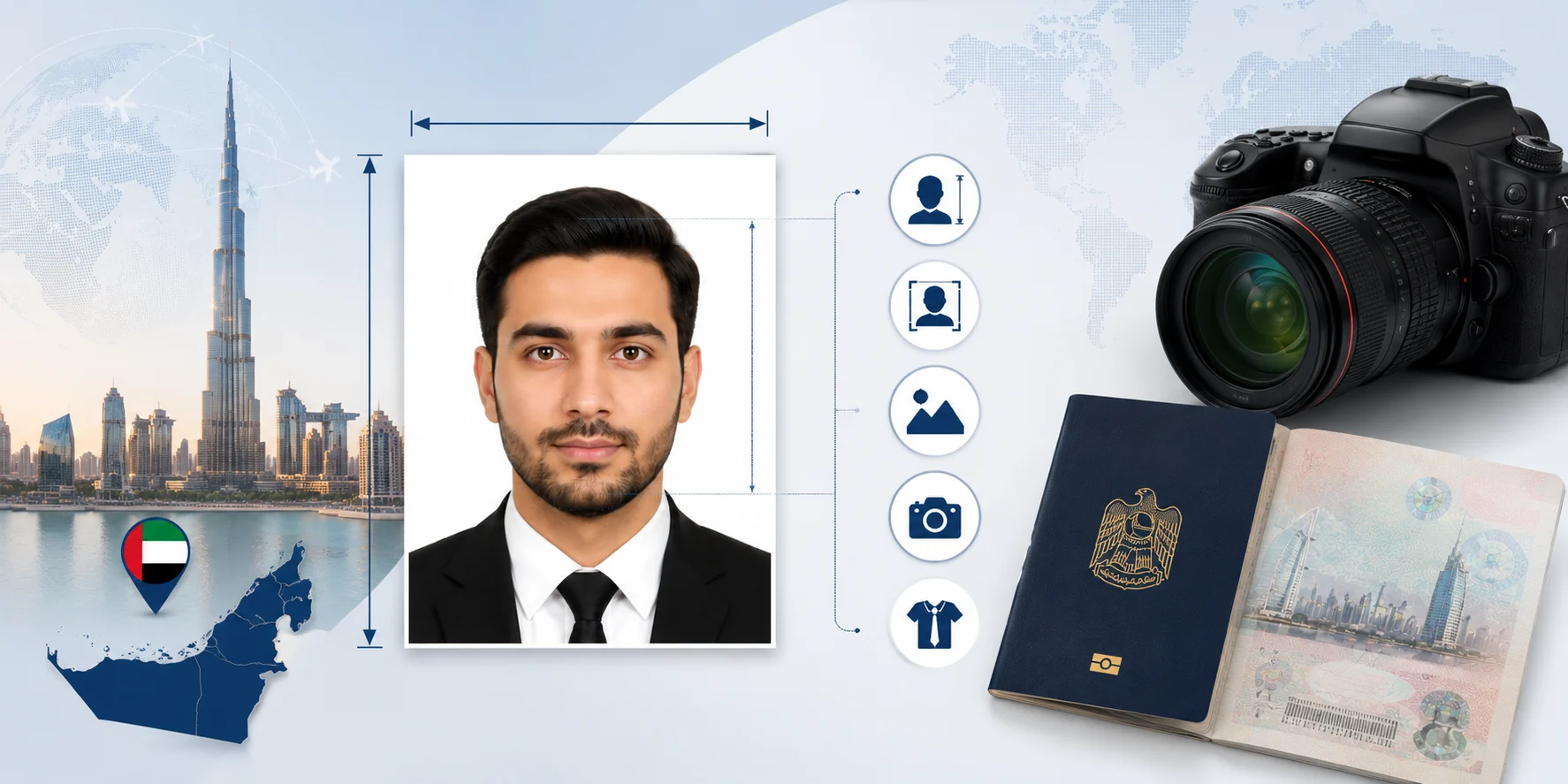
Most Dubai and UAE visa applications ask for a recent, colour photograph of the applicant, and the Dubai visa photo size is one of the most common reasons a submission gets stuck. The photo needs to be clear, centred, evenly lit, and shot against a plain background — but beyond that, the exact Dubai visa photo requirements are not identical everywhere. A printed photo size, expressed in millimetres, is a different measurement from the UAE visa photo size used for a digital upload, which is expressed in pixels and constrained by a file-size limit. This guide walks through what is consistently required — background, face position, expression — and where Dubai visa photo file size and pixel specifications genuinely vary between application channels, so you can prepare a photograph correctly the first time.
Dubai Visa Photo Size — Quick Answer
If you only need the essentials, this table covers them. For anything more precise than this, the exact upload screen you are using is the final word — treat it as such rather than relying on a single number repeated across the internet.
| Requirement | Recommended Guidance |
|---|---|
| Photo type | Recent colour photograph, no older than 6 months |
| Orientation | Portrait, head and top of shoulders visible |
| Background | Plain white or light-coloured background |
| Face position | Centred, facing the camera directly, face filling roughly 70–80% of the frame |
| Expression | Neutral, mouth closed, eyes open |
| Image quality | Sharp, evenly lit, no shadows, no red-eye |
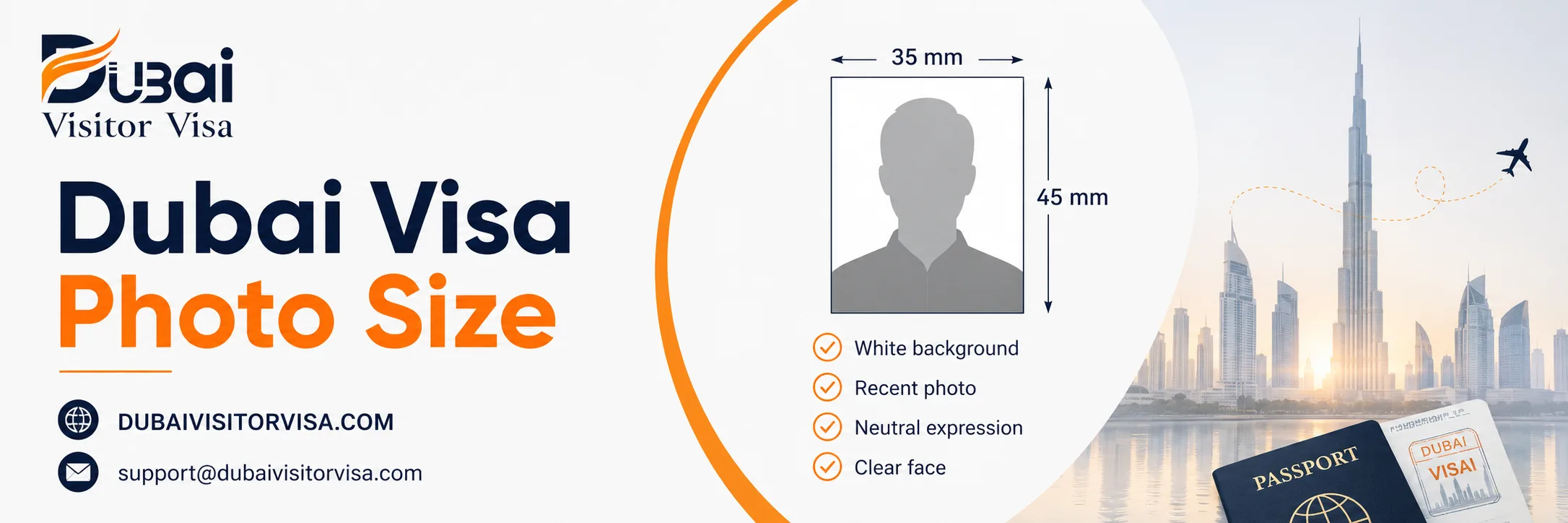
| Physical width | Commonly around 35–40 mm wide; many studios print this as a 35 × 45 mm passport-style photo |
| Digital dimensions | Set by the application channel — check the exact upload field |
| File format | JPEG is the most widely accepted format; confirm on screen |
| File size | Limits vary by portal, generally from tens of KB up to a few MB |
| Editing | No filters, no beauty retouching, no change to facial features |
Important: Digital dimensions and upload limits can vary by visa platform, sponsor, or application provider. The current upload field is the final technical reference — not a blog post, including this one.
Dubai Visa Photo Dimensions Explained
A lot of confusion around Dubai visa photo dimensions comes from mixing up measurements that aren't interchangeable. A millimetre or centimetre measurement describes a physical, printed photograph — the kind a typing centre or photo studio hands you. A pixel measurement describes a digital file's width and height on screen, and only converts to a physical size once you know the DPI (dots per inch) it was printed or scanned at. File size, in KB or MB, is a completely separate figure describing how much storage the image file takes up — a technically correct photo can still fail to upload simply because the file is too large or too small for the portal's limit.
| Measurement Type | What It Means | When It Matters |
|---|---|---|
| Millimetres / Centimetres | Physical print size | Printed photograph for in-person submission |
| Pixels | Digital width and height | Online upload through a portal |
| DPI | Print resolution | Converting a digital file to a physical print |
| Aspect ratio | Image shape (width-to-height relationship) | Cropping without distortion |
| KB or MB | File storage size | Portal upload limit |
Confusing any two of these is one of the most common causes of a rejected upload — a photo can be the correct physical size and still be the wrong pixel dimensions, or the correct pixel dimensions and still be an unusable file size.
Is 35 × 45 mm the Correct Dubai Visa Photo Size?
A 35 × 45 mm portrait photograph is a widely used passport-photo convention across the region, and many photo studios and typing centres will produce this size by default when you ask for a "UAE visa photo" or "Dubai visa photo." Official UAE identity and travel-document photo specifications describe a face width of roughly 35–40 mm within the frame, with the face occupying about 70–80% of the photograph — this is consistent with the 35 × 45 mm convention but does not by itself confirm one single fixed height as mandatory for every service. Some application channels and third-party guides reference other proportions instead. Because of this, it isn't accurate to say 35 × 45 mm is universally required for every UAE visa channel, and it also isn't accurate to say it's never used — it's the most common starting point, but the applicant should confirm the exact size requested by the specific portal, sponsor, or travel provider they are using before printing or uploading. A digital image can also have the correct aspect ratio and still fail if it exceeds the file-size limit, so getting the ratio right is only part of the job.
Dubai Visa Photo Size in Pixels
Pixel dimensions for a digital upload depend on the requirement set by the specific application channel, not on a single figure that applies everywhere. A physical measurement in millimetres cannot be converted into one universal pixel count without first assuming a DPI value, and different portals may assume different values, resize your image automatically, or reject files that fall outside their own accepted range — whether the image is too small, too large, or an unusual aspect ratio. What matters most is preserving image quality: don't upscale a low-resolution photo to hit a pixel target, since this creates a blurry, pixelated result that is likely to be rejected on quality grounds regardless of the dimensions being technically correct.
Important: Do not resize your image to a pixel value quoted on a third-party website "for the UAE visa." Use the dimensions and file-size limit shown on the exact application screen you are filling in.
If you do want to test a conversion for reference, you can calculate one yourself: at 300 DPI, a 35 mm width converts to roughly 413 pixels (35 ÷ 25.4 × 300). Treat this as an illustrative example of how the maths works, not as an official upload specification — the portal's own instructions always take precedence.
Dubai Visa Photo File Size and Format
JPEG (also written JPG) is the digital photo format most commonly accepted across UAE visa and identity portals, though it's worth checking the accepted formats field before you upload, since some services may also accept PNG. A few practical points apply across almost every channel:
- Don't upload a screenshot of a printed photo or of another document — this compresses and distorts the image.
- Don't submit a PDF when the field asks for an image file; convert it back to JPEG first.
- Avoid photos that have been through WhatsApp or other messaging apps, since these apps often compress images heavily and reduce quality below what biometric-style checks expect.
- Keep your original, uncompressed photo saved separately, and only compress a working copy if the file exceeds the portal's stated limit.
- Compress carefully — heavy compression blurs fine detail around the eyes and jawline, which is exactly the detail an automated check is looking for.
- Use a simple filename without spaces or special characters (for example,
firstname-lastname-photo.jpg).
Dubai visa photo maximum file size limits differ from one portal to the next, and are generally somewhere between a few tens of kilobytes and a few megabytes. Rather than publishing one number here that may not match the channel you're using, check the exact limit displayed on the upload field itself, and compress toward the middle of that range rather than right up against the ceiling.
Dubai Visa Photo Background Requirements
A plain, evenly lit background is one of the most consistent requirements across UAE visa and identity photo standards. White is the most commonly requested colour, though some guidance allows for a plain light background more broadly — if your application doesn't state a colour explicitly, white is the safest default.
| Acceptable | Not Recommended |
|---|---|
| Plain, even, light-coloured background | Patterned wallpaper or textured wall |
| Uniform colour with no gradient | Curtains, furniture, or visible wall corners |
| No shadow behind the head | Strong shadow cast behind or beside the head |
| Clean, natural edges around the subject | An artificially cut-out or "halo" edge from background-removal software |
| One applicant only, fully alone in frame | Other people, chair backs, or toys visible |
Avoid wearing white or very light clothing against a white background — the outline of your shoulders can blend into the backdrop and complicate the automated checks some portals run.
Face Position and Framing
Your face should be directly toward the camera, head upright and not tilted, with both eyes open and clearly visible — no hair falling across them. The full face should be visible from the top of the head to the chin, with both edges of the face shown, and your shoulders included in the frame. Avoid an extreme close-up that crops the top of the head or chin, and avoid standing so far back that your face becomes too small within the frame to be clearly identified. A profile angle, an over-the-shoulder "portrait style" pose, or a tilted head are all treated as non-compliant by standard photo guidance used across UAE identity and travel documents.
Facial Expression
A neutral expression is the safest standard: mouth closed, eyes open, no exaggerated smile, frown, raised eyebrows, or squint. Some applicants ask, can I smile in a UAE visa photo — a very slight, natural closed-mouth expression is unlikely to cause an issue on its own, but a broad or toothy smile changes the shape of the face in ways automated matching systems are specifically designed to flag. If in doubt, keep the expression neutral and let the photo look like a calm, natural version of your everyday face.
Can You Wear Glasses in a Dubai Visa Photo?
The safest approach is to remove glasses entirely before the photo is taken. Glasses frequently introduce glare, reflection, tinted lensing, or frames that partially obscure the eyes — any of which can cause an automated system to flag the image, even when the glasses are technically permitted. Where glasses are medically necessary and cannot be removed, standard guidance requires that both eyes remain fully visible, with no flash reflection on the lenses, no tinted lenses, and frames that don't cover any part of the eyes; lighter frames are preferable to heavy ones. Not every type of glasses is automatically prohibited, but the requirement to keep the eyes completely unobstructed is consistent, so test a shot beforehand and check it carefully for glare before relying on it.
Religious Head Coverings
Religious head coverings are generally permitted in UAE visa and identity photographs, and applicants should not feel they need to remove one to apply. What's consistently required is that the complete face remains visible — from the bottom of the chin to the top of the forehead, and both edges of the face clearly shown, with eyes, nose, mouth, and chin unobstructed. The fabric shouldn't cast a shadow across the face or fall in a way that obscures the natural contours of the face, and decorative elements on the covering should be kept minimal so they don't interfere with facial recognition. If your specific application channel has a stated exception to this, follow its current instructions rather than this general guidance.
Clothing for a Dubai Visa Photo
Plain, medium or darker-coloured clothing generally photographs best against a white background, since it creates a clear contrast between your shoulders and the backdrop. Keep both shoulders visible, avoid large logos or graphic prints, avoid camouflage patterns, and skip uniforms unless there's a specific, genuine reason for wearing one (such as certain professional or religious dress). Bulky scarves or high collars that cover part of the chin can interfere with the face-visibility requirement, so keep the neck and jawline reasonably clear. There isn't a single officially mandated clothing colour — the goal is simply contrast and a natural, unobstructed view of the face.
Lighting and Image Quality
Even, front-facing lighting is the goal — natural daylight from a window works well for most home setups. Avoid a direct on-camera flash, which tends to create red-eye and harsh reflections, and avoid strong side lighting, which casts a shadow across one side of the face or onto the background. The final image should show natural skin tone, no colour tint, no overexposure (a washed-out, too-bright face) or underexposure (a face that's too dark to make out clearly), and it should be sharp — free of motion blur or digital noise from a low-light shot. If you can see a visible shadow on the wall behind you or across your own face, move further from the wall and reposition your light source before retaking the photo.
Can You Take a Dubai Visa Photo With a Phone?
Yes — a phone photo is acceptable as long as it meets the same composition and quality requirements as any other photo. A phone doesn't automatically produce a compliant image, so it's worth following a deliberate process rather than snapping a quick selfie:
- Set up a clean, plain, evenly lit background.
- Stand a reasonable distance from the wall to avoid a background shadow.
- Use natural, even daylight rather than artificial light or flash.
- Position the camera at eye level, not angled up or down.
- Use the rear (main) camera rather than the front-facing selfie camera, where practical, since it typically produces less lens distortion.
- Ask someone else to take the photo rather than using a selfie angle.
- Turn off portrait mode and any background-blur effect.
- Turn off beauty filters, skin smoothing, and automatic face retouching.
- Keep your head and shoulders fully inside the frame.
- Save the original, full-resolution image rather than a compressed or shared copy.
- Crop only after checking the aspect ratio your application requires.
- Confirm the file format and file size against the upload field before submitting.
A phone photo that follows this process is not automatically guaranteed to be accepted — final acceptance depends on the reviewing system or officer, not on the device used to take the picture.
Phone Photo Mistakes to Avoid
The most common issues with phone-taken visa photos include: a selfie angle that distorts facial proportions; front-camera lens distortion generally; portrait-mode background blur; beauty mode and skin smoothing; an artificial white background added through an app rather than a real backdrop; a strong shadow cast by window light; using a low-resolution screenshot instead of the original photo; downloading a copy from social media (which compresses it); sending the photo through WhatsApp before uploading it (also compresses it); an incorrect or off-centre crop; a tilted camera angle; and a cluttered, busy room visible behind the subject.
Baby Photo Requirements for a Dubai Visa
Photographing an infant for a visa application follows the same core principles as an adult photo, with a few practical adjustments. The baby should appear alone in the frame, with no adult hands, arms, or supporting fingers visible, against a plain, light background. Toys, pacifiers, and dummies should be removed from the shot where realistically possible, and the photo should be recent. Because very young babies often can't hold a fixed, upright head position, keep the head as straight as the baby's age reasonably allows, and try to capture a moment with the eyes open — recognising that this is genuinely harder with newborns and very young infants, so some flexibility is expected here compared to an adult photo.
Practical setup: Lay the baby down on a plain white sheet or blanket and photograph from directly above, holding the camera level so the shot isn't distorted, with the supporting parent positioned fully out of frame. This produces a flat, evenly lit image without needing the baby to sit or stand.
Dubai Visa Photo Requirements for Children
For children old enough to sit or stand for a photo, the standard adult requirements largely apply: a recent photo, child alone in frame, full face and eyes visible, no school photo or cropped group photo, no hat unless there's a specific, justified reason, no toys in shot, and no parent visible holding the child within the frame. A neutral expression is preferred, though some age-appropriate flexibility is generally applied to very young children who may struggle to hold a completely neutral face — the key standard that doesn't flex is that the image must still allow the child to be clearly and individually identified.
Can You Reuse a Passport Photograph?
A fresh, separate photograph is usually the safer choice rather than reusing an old passport photo. Your appearance may have changed since that photo was taken, which matters for both quality standards and identity-matching purposes. A photo scanned or photographed from inside your actual passport is also not the same as a standalone photograph — passport pages often include security patterns, lamination glare, and compression artefacts that reduce image quality when copied. It isn't accurate to say reuse is prohibited outright for every single channel, but the safer, more reliable default is a newly taken photo that meets the current requirements of the specific portal you're using.
Can You Edit the Background to White?
Minor, honest adjustments — straightening a slightly tilted shot, cropping to the correct frame, or a small brightness correction — are generally fine as long as your actual appearance isn't changed. Where this gets riskier is background replacement: swapping a busy or coloured background for an artificial white one using editing software often leaves a visible "cut-out" edge or halo around the hair and shoulders, which automated checks are specifically built to catch. Beauty filters, face reshaping, skin smoothing, and similar retouching should never be used, regardless of the background. If your original background isn't right, the most reliable fix is almost always to retake the photo against a genuinely plain backdrop rather than trying to edit your way around it.
Visa Photo Editing Rules
Avoid the following entirely: beauty filters, face reshaping, eye enlargement, skin smoothing, hair replacement or retouching, background blur, AI-generated clothing or backgrounds, facial-feature replacement, an artificially added smile, composite or merged images, and cropped screenshots used in place of the original file. Acceptable, limited adjustments include straightening a tilted image, careful cropping to the correct frame, a small brightness or contrast correction, converting the file format, and moderate compression to meet a file-size limit — provided none of these change how you actually look.
How to Upload a Dubai Visa Photograph
- Check the current requirements shown on the specific upload field you're using.
- Select your original, unedited (or only lightly adjusted) image file.
- Confirm the file type matches what's accepted.
- Confirm the file size falls within the stated limit.
- Check that the image orientation is correct — not rotated or sideways.
- Confirm your face appears upright in the preview.
- Preview the uploaded file before submitting, if the portal allows it.
- Make sure the image hasn't been auto-rotated incorrectly by your device.
- Double-check you've selected the correct photo if you're applying for multiple people at once.
- Save or submit the application.
- Keep your original image file until the entire application has been fully approved, in case a replacement is requested.
Dubai Visa Photo Rejection Reasons
| Problem | Why It Can Cause Difficulty | Recommended Fix |
|---|---|---|
| Blurred face | Facial details are unclear | Retake with better focus and a steady hand |
| Coloured or patterned background | May not meet background requirements | Use a plain, light background |
| Strong shadow | Facial appearance becomes unclear | Use even, front-facing lighting |
| Cropped head or chin | Full face and head not visible | Retake with more space around the head |
| Face too small in frame | Applicant can't be clearly identified | Move closer or crop appropriately |
| Face too close / cropped | Head or chin may be cut off | Retake from a suitable distance |
| Glasses glare | Eyes are obscured | Remove glasses, or reposition to avoid glare |
| Beauty filter or retouching used | Facial appearance is altered from reality | Upload the original, unedited image |
| Old photograph | May no longer match current appearance | Use a photo taken within the last 6 months |
| Screenshot instead of original file | Often compressed or lower quality | Upload the original photo file |
| Photo copied from inside the passport | Not a standalone photograph | Submit a freshly taken, separate photo |
| Multiple people in frame | Applicant can't be isolated for identification | Retake with only the applicant in shot |
| Wrong file type | Portal may not accept the format | Convert to the accepted format (usually JPEG) |
| File too large | Upload may fail or time out | Compress carefully without over-compressing |
| File too small / low resolution | Image quality may be inadequate | Use a higher-quality original photo |
| Artificial or edited background | Cut-out edges may be visible | Retake against a genuine plain background |
Photo Accepted for Upload but Later Rejected
A file that uploads successfully has only passed a technical check — file type, file size, and basic dimensions. It hasn't necessarily been confirmed as visually or procedurally acceptable. A further review stage may still flag issues like poor lighting, an unclear expression, or a background that doesn't quite meet the standard, even after the file itself uploaded without an error message. If this happens, you may be asked to submit a replacement photo before your application can continue, which pauses processing until you respond. Keep an eye on your email and application portal after submitting, and respond to any such request as quickly as possible through the correct official channel to avoid extending your processing time.
Dubai Visa Photo Pre-Upload Checklist
- Recent photograph (within the last 6 months)
- Correct applicant's photo selected
- Plain, light or white background
- Face centred and upright
- Head not tilted
- Both eyes open and visible
- Mouth closed, neutral expression
- Natural, unedited appearance
- No glare on glasses (or glasses removed)
- No strong shadow on face or background
- No beauty filter or retouching applied
- Image sharp, not blurred
- Full head and top of shoulders visible
- Correct file format for your portal
- File size within the stated upload limit
- Correct image orientation (not rotated)
- Simple, clear filename
- Original image file saved separately
Why Trust This Guide
This page is written and maintained by the Dubai Visitor Visa content team, led by Priyanshu Raghav, and is reviewed against current publicly available UAE photo-standard guidance, including material published by the Federal Authority for Identity, Citizenship, Customs and Port Security (ICP) and GDRFA Dubai. Dubai Visitor Visa is a privately managed visa-assistance service, not a UAE government authority, embassy, or official photo-verification service, and this page does not claim any government partnership or biometric certification. Where an exact figure (such as a pixel size or file-size limit) varies between application channels, this guide says so explicitly rather than presenting a single invented number as universal. If you notice a detail on this page that appears outdated, you can flag it to our team at support@dubaivisitorvisa.com .
How We Handle Your Photo and Privacy
A visa photograph is personal, biometric-adjacent information, and it should be treated carefully. Only upload your photo through a trusted, official application channel or a verified authorised service — never share it in a public forum, social media post, or unofficial group chat. We do not use applicant photographs for marketing or any purpose beyond the specific application they were submitted for, and any data we do hold is handled in line with our published privacy policy. If you're using a third-party photo-editing tool to resize or adjust your photo before upload, check that tool's own privacy practices as well, since it may be handled outside our systems entirely.
- Dubai Visa
- Visa Documents
- Passport Photo
- UAE Visa
- Visa Requirements
- Visa Application
- Travel Documents
- Visa Guide
Frequently Ask Questions
Minor adjustments like straightening or a small brightness correction are generally fine. Artificially replacing the background with editing software is riskier, since it often leaves a visible cut-out edge that automated checks can flag — retaking the photo against a real plain background is usually the more reliable fix.
The baby should appear alone, with no adult hands visible, against a plain light background, with toys and pacifiers removed where realistic. A useful setup is laying the baby on a plain white sheet and photographing from directly above, keeping the camera level and the supporting parent out of frame.
There isn't one single figure that applies to every channel. Officially referenced UAE photo standards describe a width of roughly 35–40 mm with the face filling about 70–80% of the frame, and many studios print this as a 35 × 45 mm passport-style photo by convention. Always confirm the exact size requested on the application screen you're using before printing or uploading.
It's safest to remove them, since glasses commonly cause glare, reflection, or frames that partially cover the eyes. Where glasses are medically necessary, standard guidance requires both eyes to remain fully visible with no glare, no tinted lenses, and frames that don't obscure any part of the eyes.
Common causes include a shadowed or patterned background, a blurred or low-resolution image, an outdated photo, glasses glare, a beauty filter or retouching, an incorrect file type or size, or more than one person visible in the frame. Reviewing the rejection reasons table above against your own photo is a good starting point.
Yes, religious head coverings are generally accepted. The full face — from chin to forehead, with both edges clearly shown — needs to remain visible, without the fabric casting a shadow across the face or obscuring its natural contours.
White is the most commonly requested background colour, and it's the safest default if your specific application doesn't state otherwise. Some guidance more broadly allows any plain, light-coloured background. Avoid patterns, shadows, other people, or objects behind you regardless of the exact shade requested.
A fresh, separate photo is generally the safer option, since your appearance may have changed and a photo copied from inside your passport often loses quality due to security patterns and lamination glare. It isn't strictly prohibited everywhere, but it's not the most reliable choice either.
This varies by application channel — generally somewhere between a few tens of kilobytes and a few megabytes, depending on the portal. Check the limit shown on your specific upload screen rather than a fixed number quoted elsewhere, and compress toward the middle of that range if you need to reduce file size.
Yes, provided it meets the same composition and quality standards as any other photo — plain background, even lighting, no filters, correct framing. Use the rear camera where possible, avoid portrait-mode blur and beauty filters, and have someone else take the shot rather than using a selfie angle.
This depends entirely on which application channel you're using — there isn't one universal pixel figure that applies across every UAE visa and identity portal. Check the exact dimensions shown on your specific upload field rather than relying on a fixed number, and avoid upscaling a low-resolution photo just to hit a target size.
Standard guidance for UAE photo requirements specifies no older than six months. Using an older photo risks it no longer matching your current appearance, which can cause both quality and identity-matching issues during review.
A neutral expression with a closed mouth is the safest standard. A very slight, natural expression is unlikely to be an issue, but a broad or toothy smile changes your facial shape in ways that automated identity checks are specifically built to notice, so it's best avoided.
JPEG (JPG) is the most widely accepted digital format across UAE visa and identity portals, though some services may also accept PNG. Confirm the accepted formats on the specific upload field, and avoid submitting a PDF or a screenshot in place of the actual image file.
It's a commonly produced size and consistent with the general width and face-proportion guidance published for UAE photo standards, so it's a reasonable default if you're having a photo taken in advance. It isn't confirmed as a single mandatory figure for every visa channel, though, so check the specific portal or service you're applying through if it states a different size.
Write Your Comment
Your email address will not be published. Required fields are marked *